
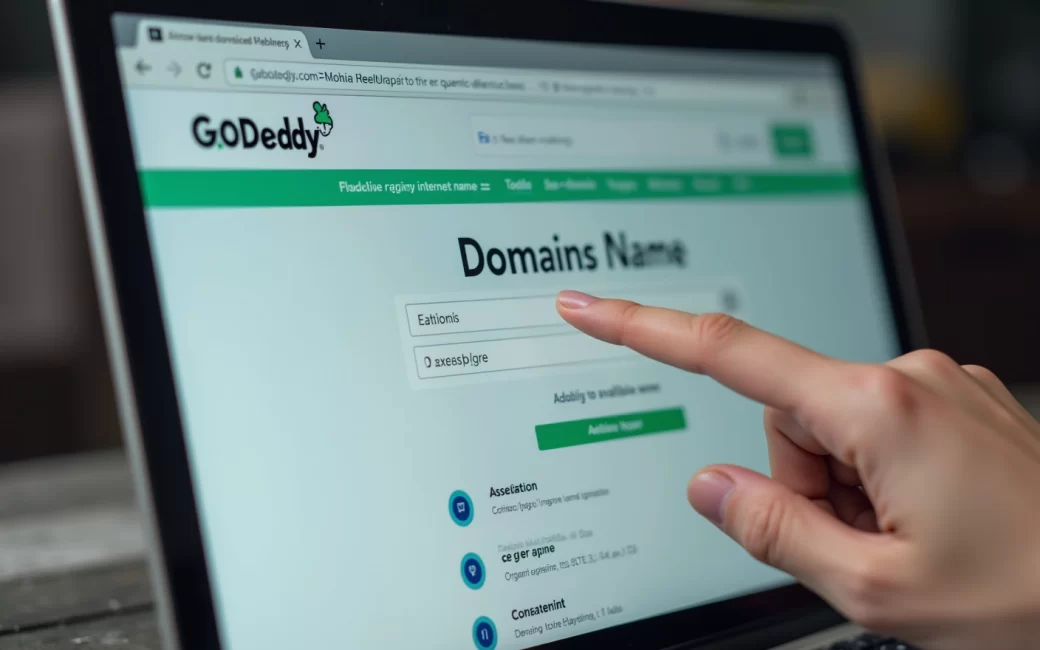
Preferred name entered in a domain search tool
Every registrar's storefront starts the same way: type a name into a search box and get back a yes-or-no on availability, plus a list of alternative extensions. GoDaddy, Squarespace, Gandi and Wix all lead with this checker because it's the fastest way to rule things in or out before any payment screen appears.
When the tool reports the name is already registered, there are three practical paths forward:
- Try a different extension — the same name under
.net,.coor a category-specific TLD such as.storemay still be free. - Alter the name — add a word, use a hyphen, or shorten it, then re-run the search.
- Buy it as a premium or aftermarket domain — if the exact name matters enough, it can be purchased from whoever holds it now, usually at a markup over standard registration price.
Once a name clears the check, checkout completes the purchase as a registration for a fixed term with the chosen registrar — a distinction worth understanding before entering payment details, since it changes what "buying" a domain actually means.
A domain is registered for a fixed term, not bought outright
No domain is bought permanently — every registration is a lease for a set period, typically renewed annually, and it lapses if that renewal doesn't happen. This is the direct answer to "can you permanently buy a web domain": you can't, no matter which registrar's checkout language uses the word "buy."
If the term lapses without renewal, the domain moves through a grace period, then typically a more expensive redemption phase, before becoming available for anyone else to register. The practical fix is procedural, not conceptual:
- Turn on auto-renewal at checkout or in account settings.
- Keep the payment method on file current.
- Keep the registrant's contact email current, since expiry and renewal notices go there — a lapsed card or a dead inbox is the usual reason a name is lost.
Treat the domain as a subscription with a name attached to it, not a one-time acquisition.
Renewal price rises above at-cost or competing rates
Introductory pricing is not the ongoing cost, and the gap between them is the real answer to "what's the cheapest way to buy a domain." Most registrars discount the first term and renew at a higher rate; Cloudflare Registrar is unusual in that it states it sells and renews domains at its wholesale cost rather than marking up the renewal.
When a renewal quote comes in above what's available elsewhere, the standard remedy is a transfer rather than starting over:
- Compare renewal pricing, whether privacy protection is included, and support quality at competing registrars.
- At the current registrar, disable the registrar lock and request the authorization (EPP) code.
- Initiate the transfer at the new registrar using that code.
- Confirm the transfer via the outgoing registrant's email.
A domain generally can't be transferred within 60 days of initial registration or of a prior transfer — a restriction worth checking before assuming a same-day move is possible. Once it completes, the name keeps its registration history; only the billing relationship changes.
Domain registered at a registrar but doesn't resolve until DNS is configured
A completed purchase does not put a website live — the name exists in the registry, but nothing points visitors anywhere until DNS is set. This is the step checkout screens rarely explain: registration and pointing the domain to a host are two separate actions.
To connect a newly registered name to a website or inbox:
- Log in to the registrar's DNS or nameserver settings.
- Point nameservers at the website builder or hosting provider (or add individual A/CNAME/MX records if the host requires that instead).
- Add mail-specific records (MX, SPF, DKIM) if email on the domain is needed, following the mail provider's setup guide — Zoho Mail's domain guide walks through this pairing for a purchased or already-owned name.
- Wait for propagation, which is usually quick but can take longer depending on the previous record's cache time.
Only after this step does the site or business email actually work on the new name — the registrar's job ends at registration, not at launch.
Domain name
A domain name is the human-readable address typed into a browser or used after the @ in an email — example.com rather than the numeric IP address it maps to. It's the one thing every part of this process revolves around: availability, price tier, renewal cost and DNS configuration are all attributes attached to this single string.
Domain registrar
A domain registrar is the company accredited to sell and record domain registrations on a buyer's behalf, entering the registration into the shared registry for that extension. GoDaddy, Gandi, Cloudflare, Squarespace and Wix all function this way, though some — Squarespace and Wix among them — sell domains primarily as an add-on to a website-builder plan rather than as a standalone registrar service. That distinction matters for "is it worth it to buy your own domain": a domain bought inside a builder's plan is still a real registration, but it's worth checking who is listed as registrant of record and whether the name can be moved to another host later.
Domain registration
Domain registration is the act of reserving a name for a fixed term — commonly one year, with multi-year terms available at checkout — rather than an outright, permanent purchase. Every registrar's pricing page describes this as "buying" a domain, but the underlying mechanic is a renewable lease recorded against the buyer's contact and payment details.
Domain extension (TLD)
The extension, or top-level domain, is the suffix after the name — .com, .store, .co, .org — and it's the main driver of both availability and price tier. Category-specific extensions such as .store or .tech are often positioned by registrars as cheaper or more available alternatives when the equivalent .com name is already taken, though renewal pricing on these can still exceed the first-year promotional rate.
Domain availability
Availability just means the name is currently unregistered at the chosen extension and can be bought at the registrar's standard price rather than an aftermarket markup. It's checked live against the registry for that extension, which is why the same name can be available under one extension and taken under another at the exact same moment.
Taken / already-registered name
A "taken" result means someone else already holds an active registration for that exact name and extension — the search tool simply reflects the registry's current record. This is the single most common blocker in the purchase flow, which is why every registrar's search interface is built to immediately suggest alternative extensions or name variations rather than leaving the result as a dead end.
Premium or aftermarket domain
A premium or aftermarket domain is a name that's already registered and being resold, usually because it's short, a common word, or otherwise considered valuable — and it carries a markup well above standard first-year registration pricing. What often goes unstated is that the premium markup typically applies to the purchase price, not necessarily to every future renewal; whether the ongoing renewal reverts to a standard rate or stays elevated varies by registrar and by name, so it's worth confirming the renewal price before paying an aftermarket premium.
Before paying for a premium name, run the same availability search on close variants and alternate extensions — a small rewording of the same idea, registered fresh instead of bought secondhand, is often the difference between a markup and a standard-price purchase.